

All prices are public. You don't need a sales meeting to find out what it costs. See the prices
For Norwegian independent schools, years 1–10
Skoleklokka: the whole school day in one system.
School administration built for Norwegian independent schools (friskoler): attendance, assessment, school fees, SFO (after-school club) and a parent portal, with AI help built in.
Open demo with no sign-up · open prices · data in the EU
01The problem
Does this sound familiar?
Everyday life in many independent schools today:
One system for administration, one for parents, one for messages and one for GSI. None of them talk to each other.
School fees and SFO are invoiced by hand, month after month.
Absence is recorded on paper and typed in again for the autumn count.
An independent school with 120 pupils loses around NOK 120,000–145,000 a year today on four systems that don't talk to each other, plus manual invoicing, paper absence notes and typing figures into GSI. Skoleklokka removes most of that for NOK 24,900, paid back before the autumn break.
The numbers for an independent school with 120 pupils
The figures below come from public price lists, and estimates are marked with ~. Check them against your own invoices. The sums should hold up at a board meeting.
| Item (NOK/year) | Today (member price) | Today (list price) | With Skoleklokka |
|---|---|---|---|
| Admin and invoicing system (Barn-Nett SA) | 11,664 | 21,204 | 0 |
| Parent app (Barn-Nett eBarn) | 15,840 | 25,920 | 0 |
| Messaging system (Transponder)* | ~3,000 | ~3,000 | 0 |
| GSI reporting (WIS Skole) | 5,875 | 5,875 | 0† |
| Feide (100–499 pupils) | 10,400 | 10,400 | 10,400‡ |
| Manual office work, ~4–6 h/week at NOK 300* | ~60,000 | ~60,000 | ~20,000 |
| Written translation of routine information* | ~12,000 | ~12,000 | ~2,000 |
| GDPR/DPIA consultant (spread over the years)* | ~18,000 | ~18,000 | 0 (included) |
| Skoleklokka (Standard, 61–120 pupils) | 0 | 0 | 24,900 |
| Total per year | ~136,800 | ~156,400 | ~57,000–63,000 |
Net saving: about NOK 74,000–80,000 a year at member prices, and about NOK 93,000–99,000 at list prices.
- * Estimate: put in your school's own hours and rates. A number you work out yourself is a number you trust.
- † The GSI export is built into Skoleklokka and is switched on once the school's d-codes from Udir's guidance are entered.
- ‡ You keep Feide. Skoleklokka does not replace Feide.
- Price lists and estimates as of July 2026. Check current prices with the suppliers.
02Who it is for
Built for independent schools, years 1–10
Montessori, Steiner, Christian and international independent schools with 40–250 pupils, and everyone who runs them.
Principal
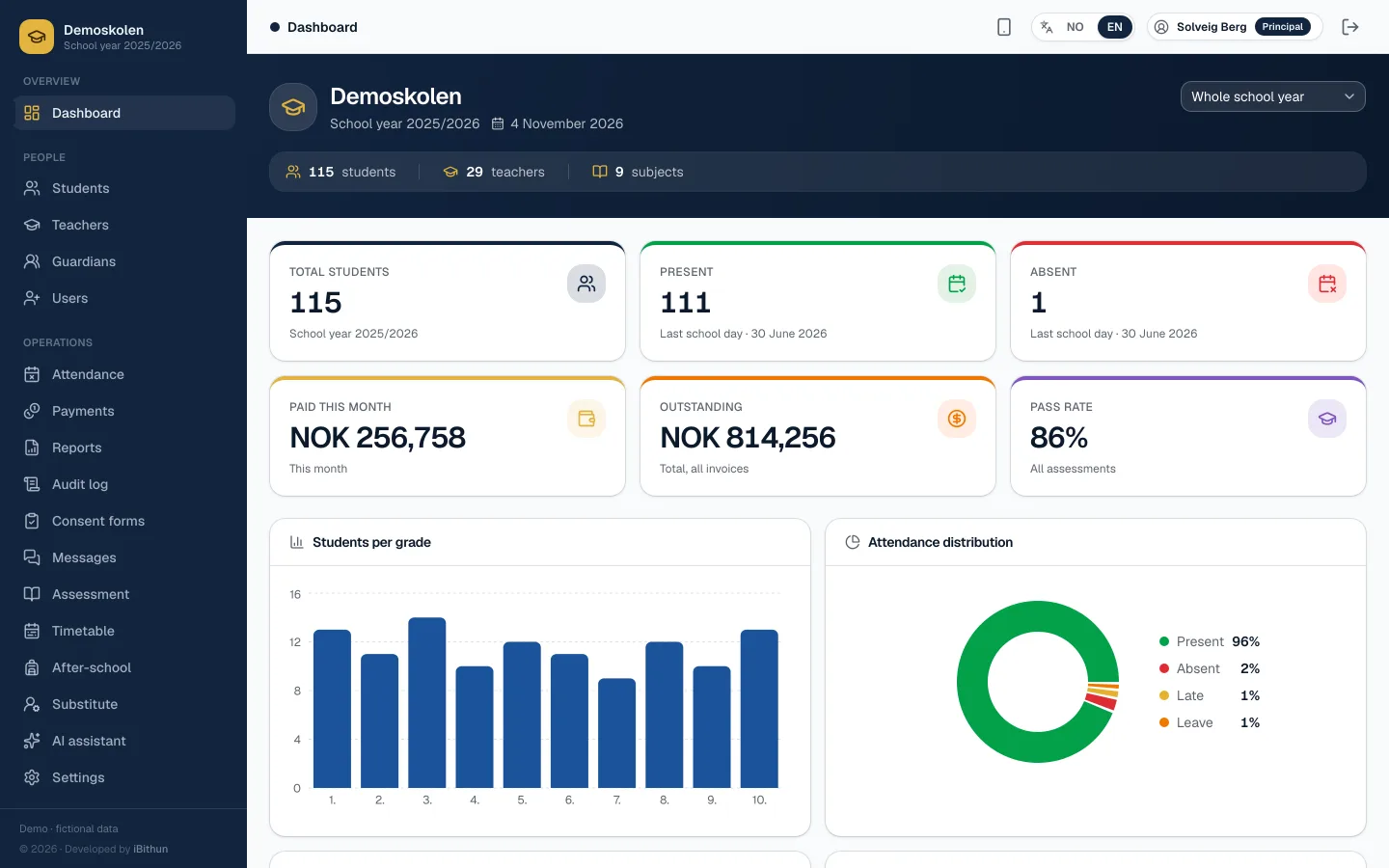
A full overview and reports ready to use: absence, finances and assessment on one screen.
The office
The invoice run that took days now takes minutes, with the sibling discount worked out for you.
Teacher
Absence and assessment without paper, recorded where you are and done when the lesson is.
Parents
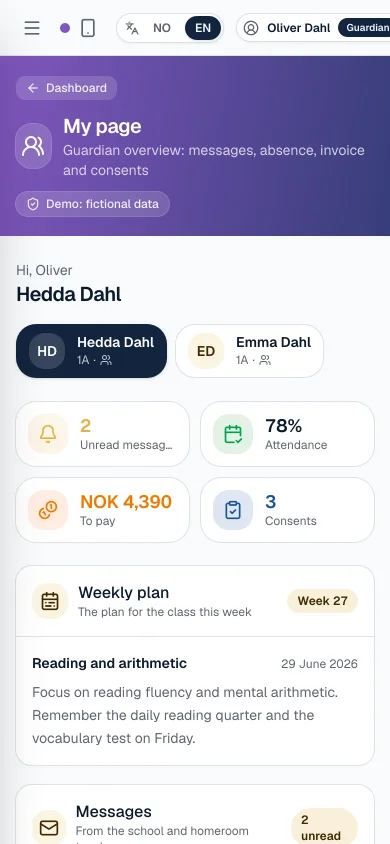
One app for messages, absence, leave and consent forms, in their own language.
03Features
Everything included, whatever the school's size
No feature tiers: Small, Standard and Large get exactly the same product. The price follows the number of pupils, never the features.
Pupil administration
Pupils, parents, classes and staff in one place, with enrolment, pupil profiles and archiving when a pupil leaves.
Attendance with early follow-up
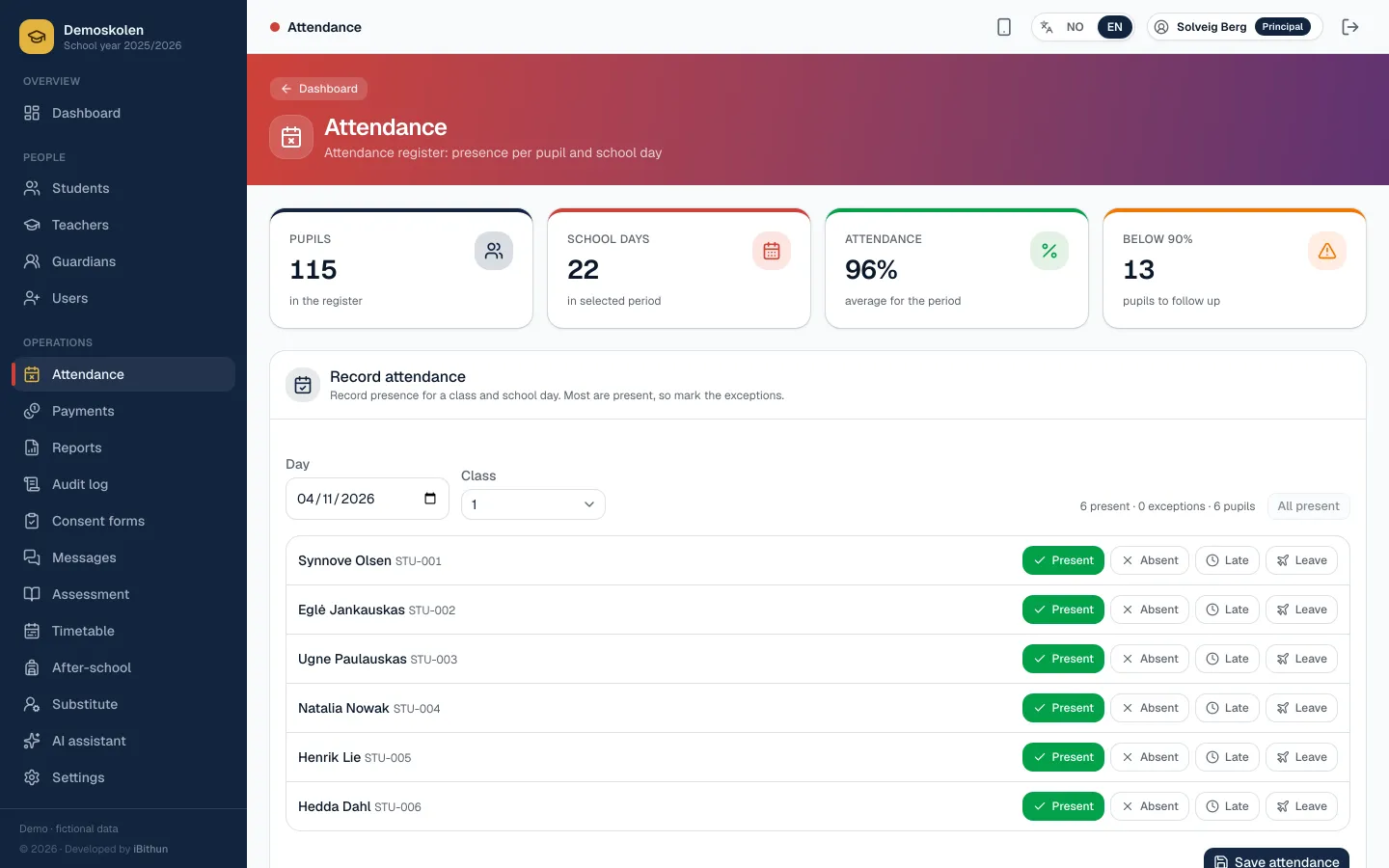
Daily attendance records, and a fixed rule that flags pupils below 85 percent attendance or with five or more days absent.
Assessment
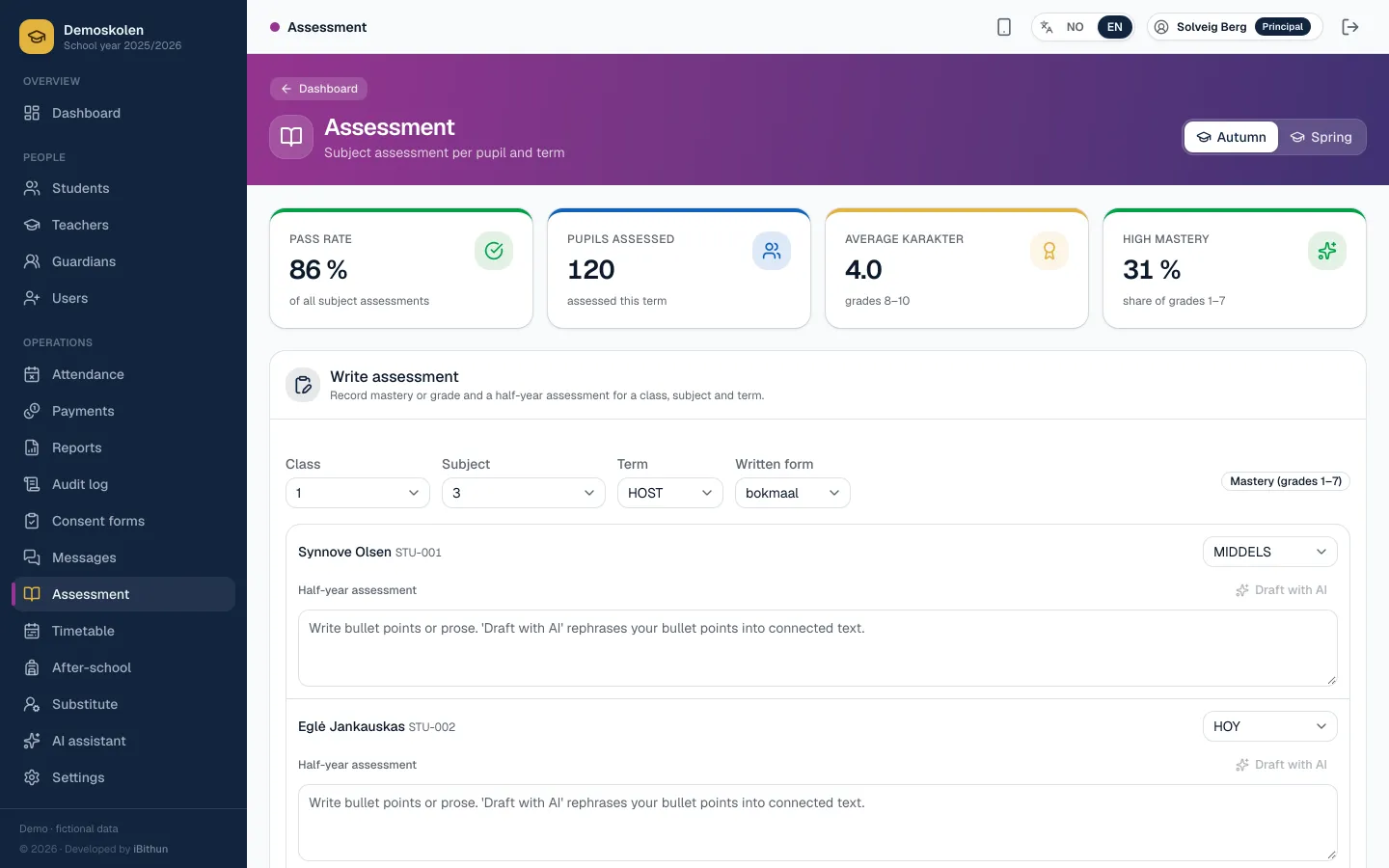
Ongoing and half-year assessment with grades, recorded by the teacher, without paper.
Timetable
A weekly timetable for each class, which the principal builds and changes. If a teacher is put in two classes in the same lesson, the system says so.
School fee and SFO invoicing
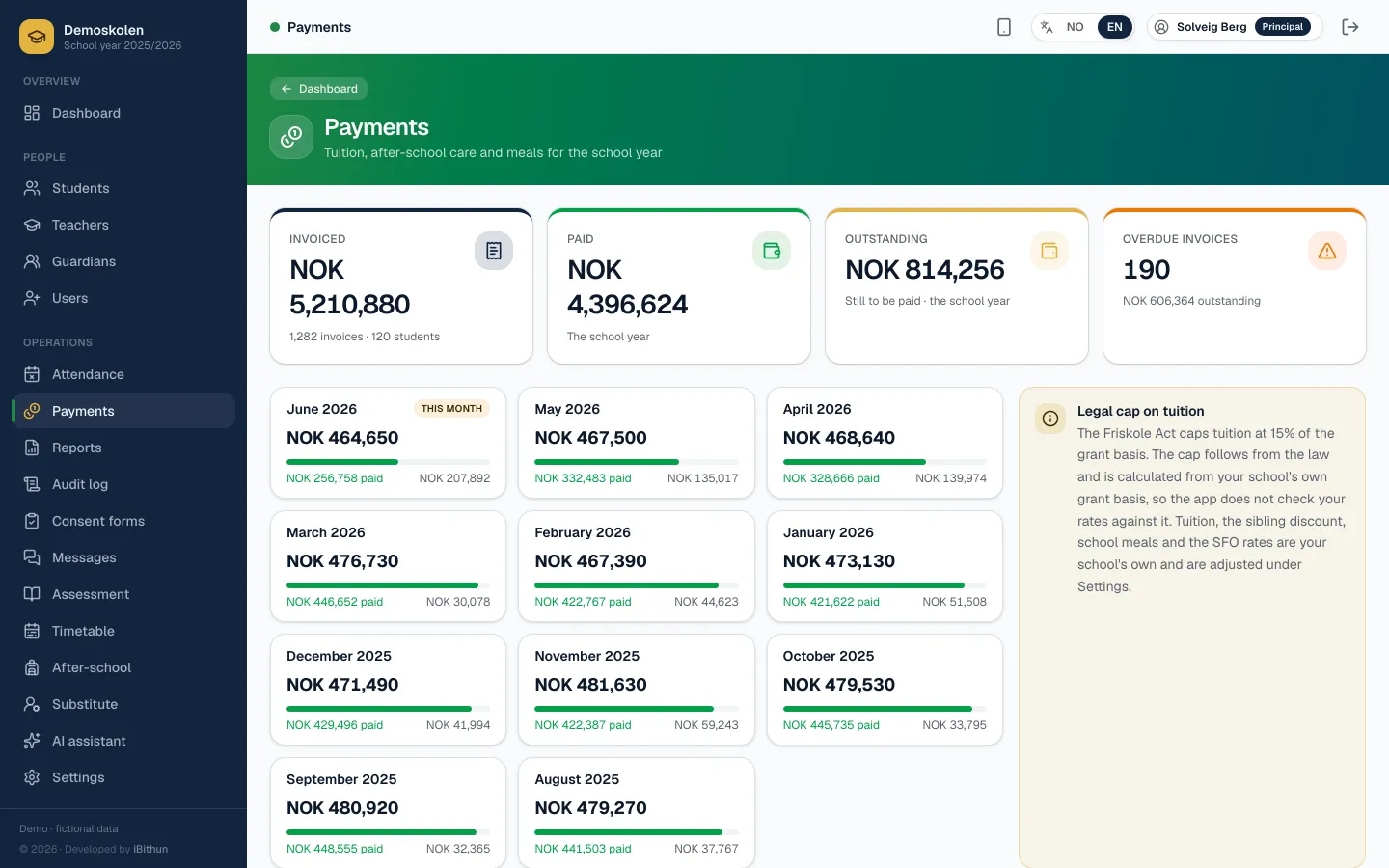
Invoice runs with the sibling discount, issuing and payment recording, straight from the system.
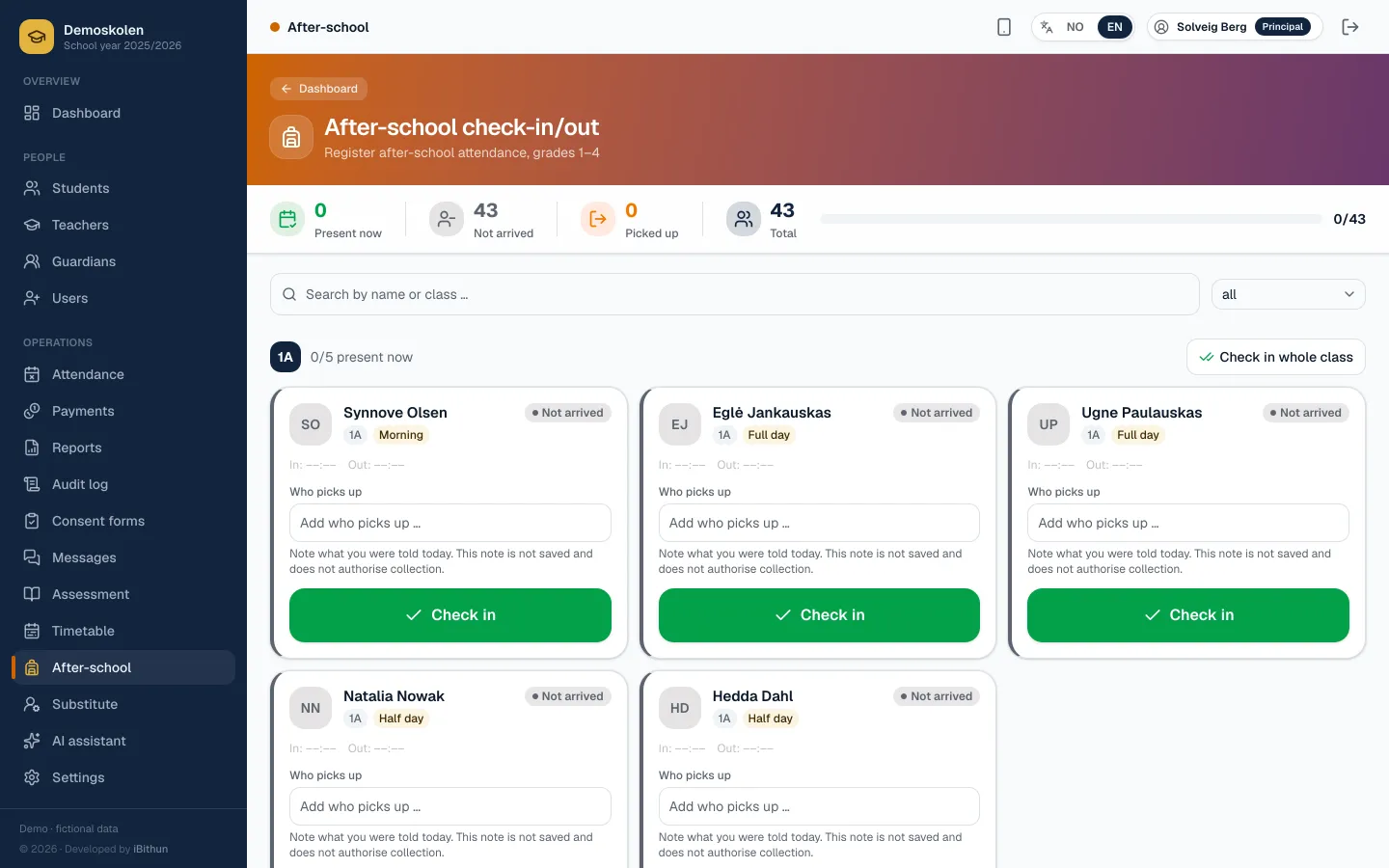
SFO check-in and check-out
Quick check-in and check-out on a tablet. Each time is saved per child and day.
Parent portal
Messages both ways, absence reports, leave requests and digital consent forms, all behind one login for parents.
E-mail notifications
Invitations, password reset links and notices about new messages, absence reports and leave requests go out by e-mail. People read the content itself in the app.
Reports and GSI export
A summary report for the principal and a pupil-count report for the correction scheme, both ready to print and export as CSV. The GSI export is fully built and is switched on once the school's d-codes from Udir's yearly guidance are entered.
Import from CSV and Excel
Pupils, parents, classes and staff are imported from CSV or Excel (.xlsx). We help with this during setup.
GDPR built in
A confidential address is shielded automatically and edited by the principal. Parental responsibility is recorded at enrolment and controls what each parent can see and do, with role-based access and an audit log.
Coming
- comingFeide login: For schools that want Feide (optional for independent schools).
- comingBankID / ID-porten for parents: Strong login for parents.
- comingVipps payment: Pay school fees and SFO with Vipps.
04The AI module
AI that helps and never assesses
AI features we have not found in the Norwegian school systems available today.
Translate messages
The school's messages are translated into the parents' language: Arabic, Polish, Ukrainian, Somali, English and more.
Draft half-year assessments
AI suggests a draft from the teacher's notes. The teacher always makes the assessment. No pupil is assessed by a machine.
«Ask about the school»
The principal asks in Norwegian, for example «how much in school fees is outstanding?», and gets an answer from the school's own figures. The assistant covers a fixed set of questions: number of pupils, number of teachers, attendance, absence follow-up, school fees outstanding and paid, invoice status, number of children in SFO and pass rate.
The AI is a tool and never an assessor: the teacher always makes the assessment, and the AI services only handle text the staff have written themselves, never grades, absence or any other information taken from the pupil register.
05Rule-based
Smart, rule-based features
Not everything needs an AI model. These features follow fixed rules you can see. In the app itself they are marked «not an AI system».
Substitute suggestions
Qualified substitutes ranked automatically when a teacher is away, with the subjects that need covering. Rule-based decision support, not an AI system.
The absence follow-up (under Attendance) is rule-based too: a fixed, visible threshold flags pupils below 85 percent attendance or with five or more days absent, with the school's absence routine as a checklist. No black box.
06Try it yourself
The demo is the finished system, not a slide deck
Demoskolen is a made-up school with 120 pupils and everything filled in. The login page shows the demo accounts and the password, so you can go straight in as principal, teacher or parent.
Everything you see is real functionality, and all the data is fictional. There is no real pupil data in the demo school.
Principal
Look at the dashboard, run an invoice round under Payments, and open the summary report and the correction scheme report under Reports.
Teacher
Record absence for a class, enter an assessment, and check a pupil in at SFO.
Parent
Report a child absent, apply for leave, answer a consent form, and try «Translate» on a message.
07How to get started
From the first click to the first school day
The hard part of changing school systems is moving the data. We do that part.
Explore the demo
Click around for as long as you like, with no sign-up and no card details.
Book 20 minutes
We go through the demo together and answer what your board is going to ask.
Setup
We import pupils, parents, classes and staff from CSV or Excel and set up the school.
Training and start
You get training and a checklist for the start before school begins.
08Privacy
Safety first
Data in the EU
The school's data is stored in Stockholm (EU/EEA).
Data processing agreement and DPIA support
A data processing agreement and a DPIA support pack are included, signed before any pupil data is moved.
Confidential address and parental responsibility
A confidential address is shielded automatically, not by a manual routine. Parental responsibility is recorded at enrolment and controls what each parent can see and do.
No real pupil data in the demo
The demo school holds only fictional data, so explore freely.
09Pricing
Open prices, check them yourself
Three sizes, everything included in all of them. A yearly price with no hidden extras.
Offer now: Half-price setup3 November to 31 December 2026
Become a reference school:the first three get setup free, in return for a signed reference agreement.
Small
up to 60 pupils
NOK 14,900 per year excl. VAT (NOK 18,625 incl. VAT)
Standard
61–120 pupils
NOK 24,900 per year excl. VAT (NOK 31,125 incl. VAT)
Large
121–250 pupils
NOK 39,900 per year excl. VAT (NOK 49,875 incl. VAT)
Work out the price for your school
Enter how many pupils your school has. The price follows the number of pupils, never the features.
Standard · 61–120 pupils
NOK 24,900 per year excl. VAT (NOK 31,125 incl. VAT)
Setup: NOK 4,950 excl. VAT (NOK 6,187.50 incl. VAT) · Half-price setup, 3 November to 31 December 2026
10Who is behind it
A small supplier, with a short line to the developer
Skoleklokka is built and run by iBithun, a small Norwegian company in Fannrem in Trøndelag. When you get in touch, you talk to the person who wrote the code.
We are small, and we say so plainly. That is why the prices are public, your data can be exported as CSV at any time, and the data processing agreement is signed before any pupil data is moved.
Org. no. 937 585 330 · iBithun · Fannrem, Trøndelag
Data in Stockholm
The school's data is stored inside the EU/EEA.
You own the data
Export as CSV at any time, and deletion as agreed when you leave.
Locked price
The price you sign at is locked for 3 years.
Become a reference school
Skoleklokka launches in autumn 2026, and the first schools shape the product. The first three reference schools get free setup in return for a signed reference agreement, and a direct line to the developer.
The first 3 reference schools: free setup, in return for a signed reference agreement (a case study, and other schools may visit you as a reference).
11Questions
Frequently asked questions
How do we move from Barn-Nett or WIS?
We do the import for you: pupils, parents, classes and staff from CSV or Excel are part of the setup. You get a go-live checklist and training before school starts.
Do we need Feide?
No. Independent schools can use e-mail login in Skoleklokka today. Feide login is coming for schools that want it.
How long are we tied in?
The agreement is yearly. The price you sign at is locked for 3 years. When the list price changes later, you keep yours.
Who owns the data?
The school does. You can export your data (CSV) at any time, and when you leave it is deleted as agreed.
What about GDPR?
Data is stored in the EU (Stockholm), a data processing agreement and a DPIA support pack are included, a confidential address is shielded automatically, and parental responsibility is recorded at enrolment and controls what each parent can see. There is more on the privacy page.
How do we pay?
One EHF e-invoice a year. No card details and no trial that runs out, because the demo is always open.
See it for yourself
Open the demo now, or book 20 minutes and we'll show it to you and answer your questions.